
Cake: Birthday Reminders
Never miss
a birthday
again.
Cake: Birthday Reminders pulls birthdays from your contacts and gives you time to show up — with reminders days ahead, zodiac context, and a built-in card studio. Free, private, on your device.
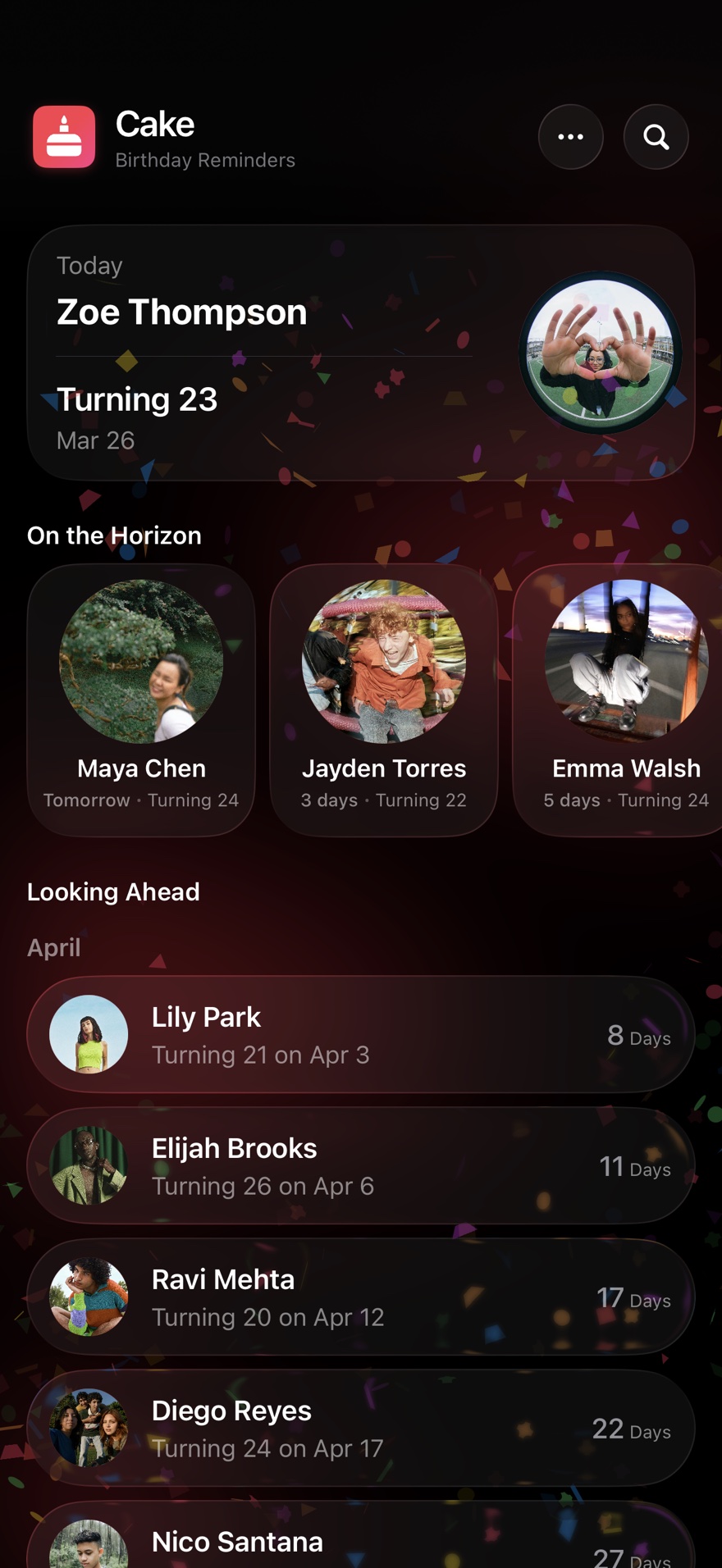
Why Cake?
Your iPhone already tracks birthdays.
It just doesn't help you show up.
Calendar may alert you on the birthday. Cake can remind you days early. It also gives you message ideas and helps you make a personal card.
Calendar & Contacts
- Birthday shows up the morning of
- One line among meetings and todos
- No context, no personality
- No way to send a card from it
Cake: Birthday Reminders
- Reminders days in advance
- Dedicated timeline, just birthdays
- Zodiac, birthstones, birthday twins
- Built-in card studio
Setup
Ready in under a minute.
-
1
Download
Free on the App Store. No account, no sign-up, no email required.
-
2
Sync contacts
One action imports birthdays from your iPhone contacts. Permission is asked only when you need it.
-
3
That's it
Cake: Birthday Reminders handles the rest. You just show up.
Profiles
Everyone you care about,
all in one place.
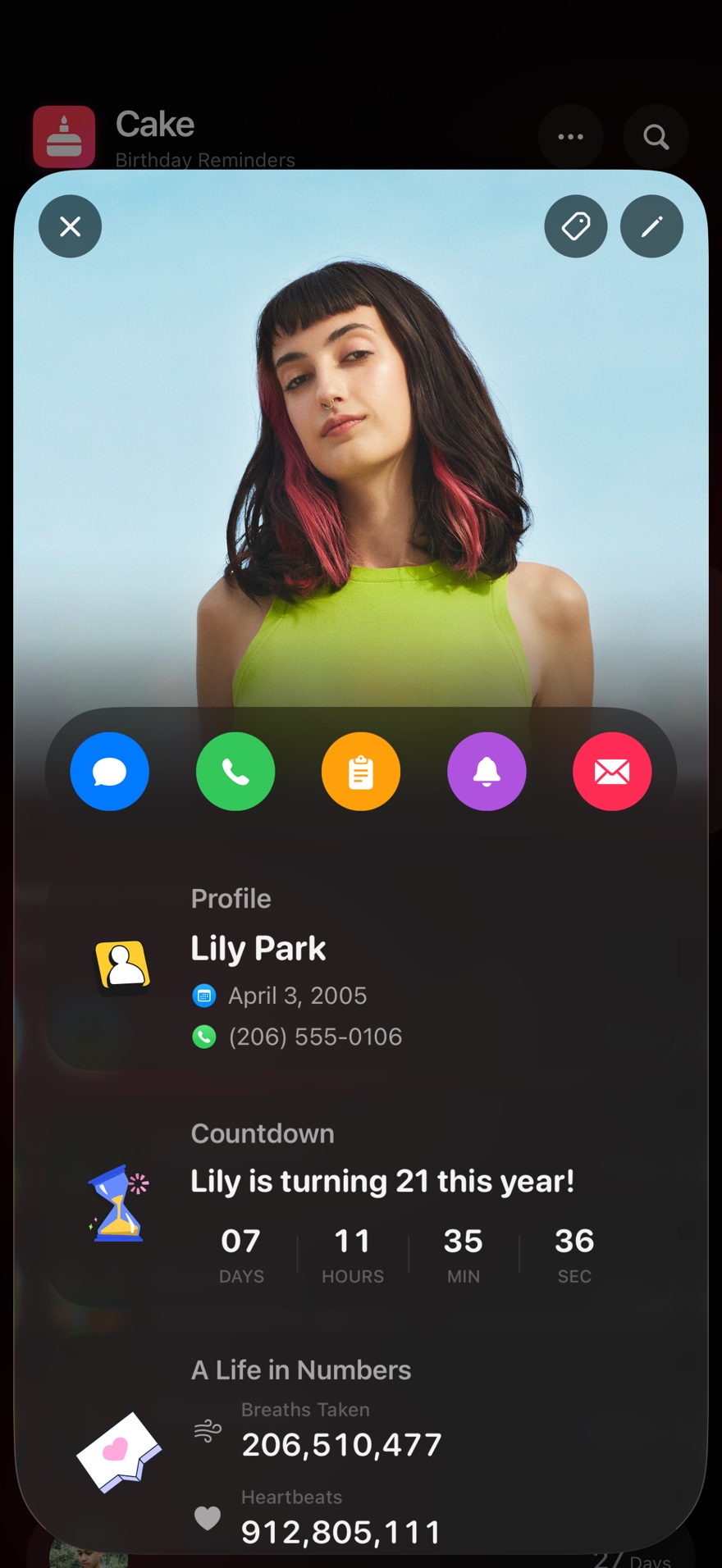
Each person gets a profile card with a live countdown, quick actions, and small details that make you feel closer. Choose a quick action to call, message, or set a reminder. No feeds, no noise.
- Live countdown to the next birthday
- Quick actions — call, message, or remind from one named control
- Personal stats — heartbeats, breaths, days alive
Context
Know what to write
in the card.
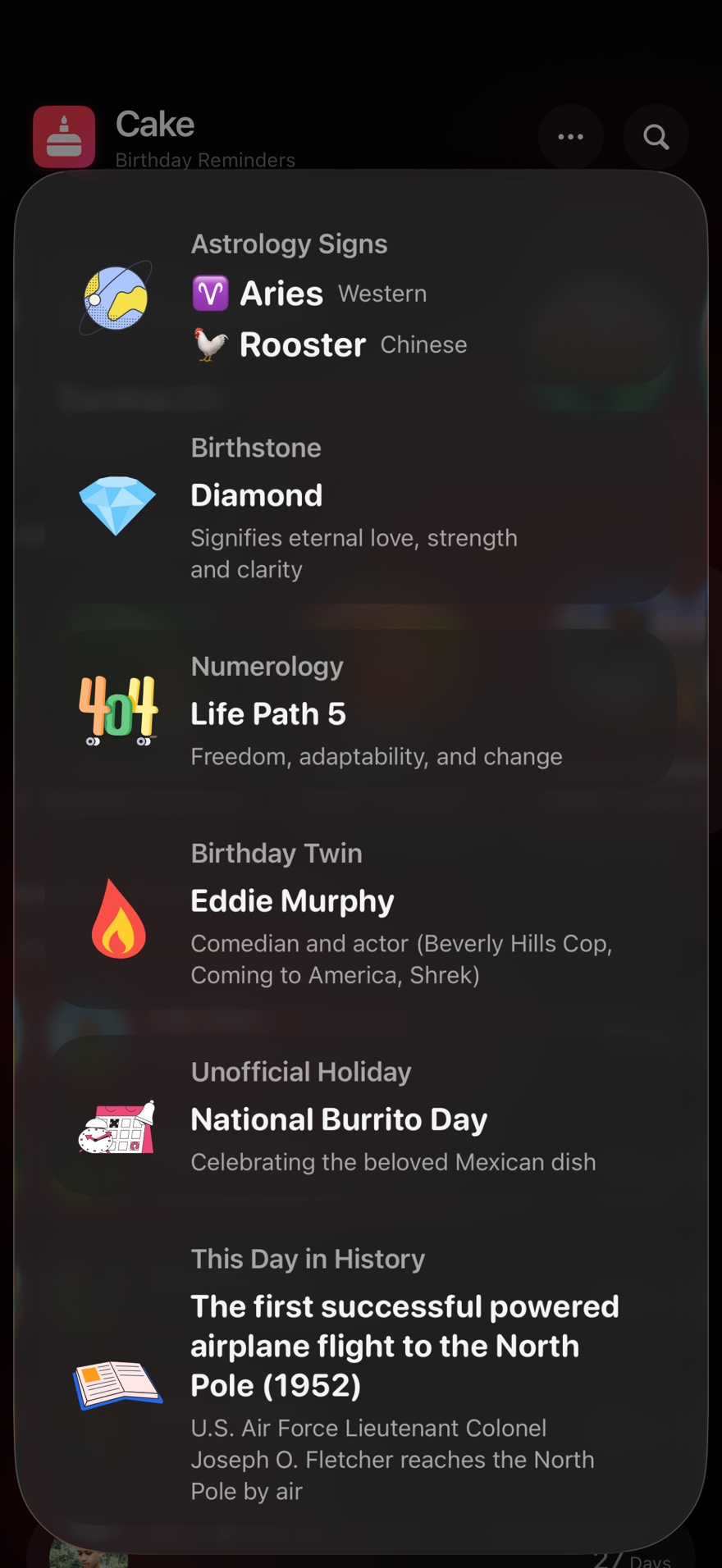
Cake shows useful facts for each birthday. These include zodiac signs, birthstones, famous people born that day, and events from that date. Use a detail to make your message personal.
Card Studio
Send something
better than a text.
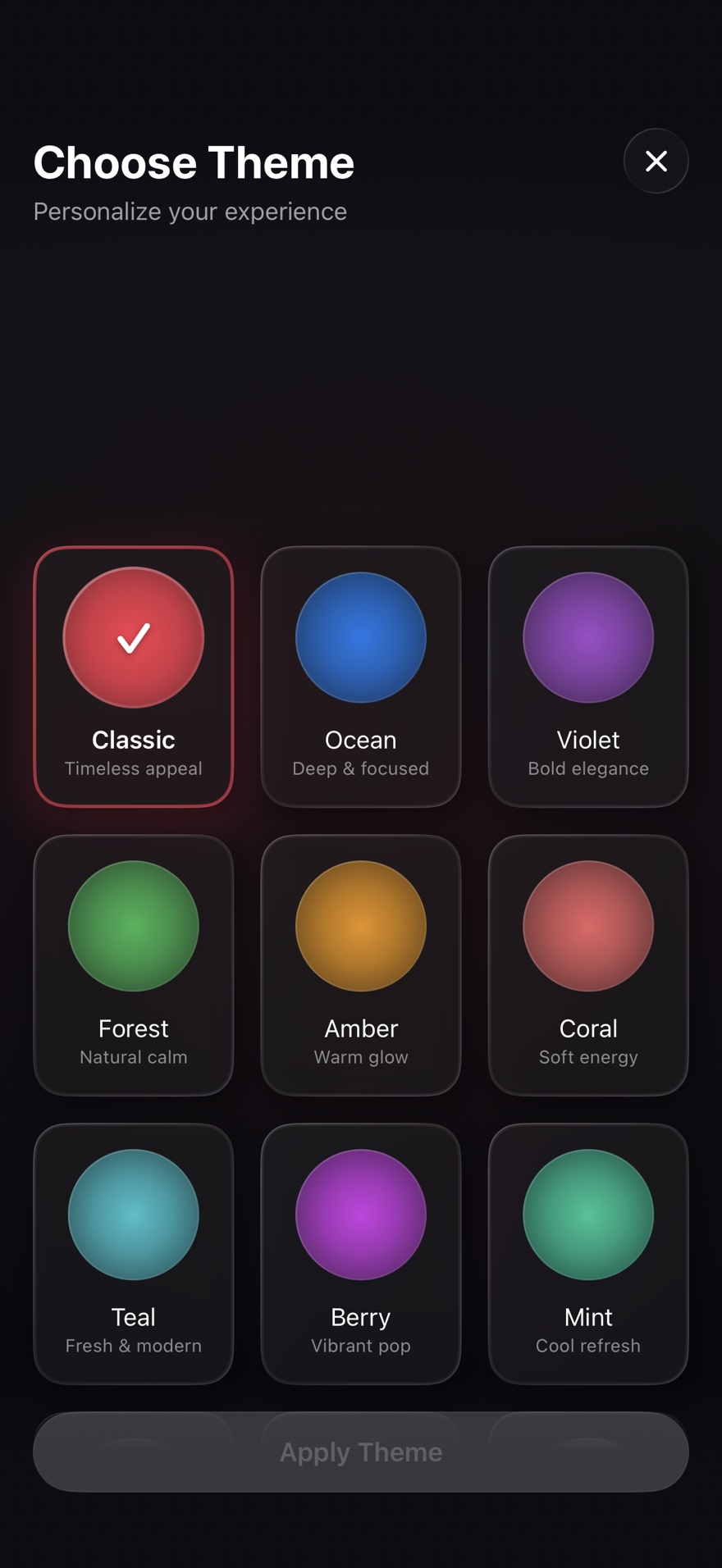
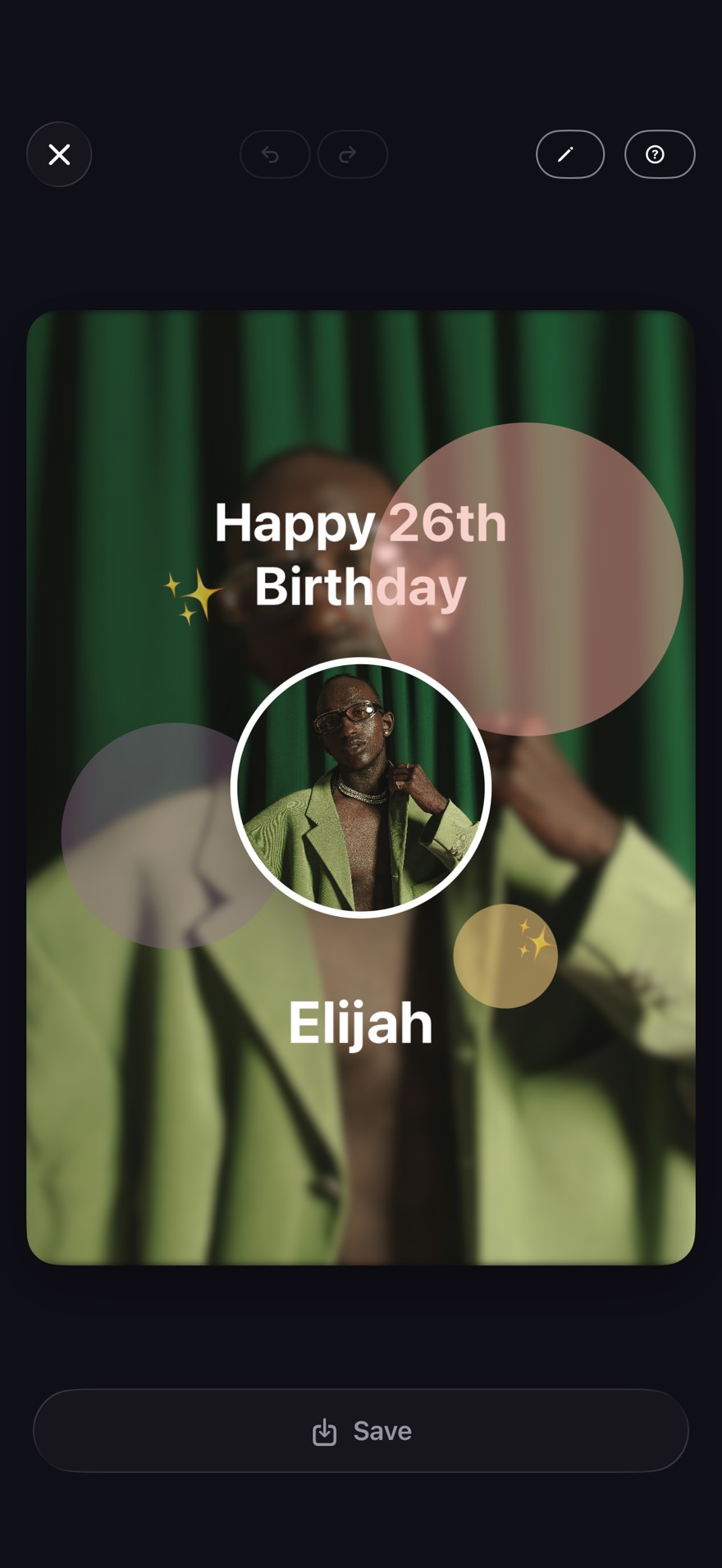
Build birthday cards with photos and templates right inside the app, then share them directly. A range of color themes makes the whole experience feel like yours.
Privacy by design
Your birthday data isn't
sent to BYSN Apps.
Cake keeps birthdays, photos, and notes on your device and does not send that content to BYSN Apps. Apple services may process information under your settings and Apple's privacy rules.
Cake: Birthday Reminders is built by one independent developer. There are no investors to report to and no growth targets to chase — just a focused app that does one thing well.
Read the privacy policyQuestions
Everything you might
be wondering.
Is Cake free?
Yes. Cake: Birthday Reminders is free to download from the App Store.
Does Cake collect my data?
Cake processes birthdays, photos, notes, and contacts on your device and does not send that content to BYSN Apps. Cake does not use advertising or analytics services. Limited network connections support optional Apple services, direct sharing, and legal-document updates.
Which iOS version does Cake support?
Cake: Birthday Reminders requires iOS 18 or later and is optimized for iOS 26.
Does Cake sync with my iPhone contacts?
Yes. Cake: Birthday Reminders imports birthdays from your iPhone Contacts with one action. The sync is optional and only runs when you grant permission.
Can I share birthdays with someone else?
Yes. Nearby Share connects two Apple devices that are near each other. It protects the transfer so only those two devices can read it. Cake uses an Apple tool named MultipeerConnectivity for this link.
Why should I use Cake instead of Apple Calendar?
Apple Calendar lists a birthday and may alert you that morning. Cake can remind you days earlier. It also gives you message ideas and a card maker.
Who makes Cake?
One developer makes Cake under the name BYSN Apps. The goal is simple: private birthday reminders that feel personal.